

The most important CRM features for a moving company are lead tracking, dispatch management, billing automation, digital documents, and team communication. Together they cover every stage of the job — from first inquiry to final invoice — without manual work filling the gaps.
Running a moving company in 2026 means operating faster, with fewer errors, and under more pressure than ever. Clients expect quotes within minutes, real-time updates throughout the move, and digital paperwork from start to finish. At the same time, margins are tighter, competition is sharper, and the cost of a missed lead or a billing mistake lands harder.
A CRM built for movers isn’t optional infrastructure anymore. It’s the difference between a team that operates with control and one that spends the day putting out fires. This breakdown covers the core CRM features that matter most for moving companies — what they do, why they matter, and what running without them actually costs.
Core, common, and specialized CRM features
Customer Relationship Management (CRM) software is built to organize every part of your interaction with customers. For moving companies, that includes capturing leads, tracking estimates, assigning jobs, managing crews, helping teams keep track of their daily schedule, and following up after the move. A good CRM brings all of this into one place, making it easier to run daily operations without missing a step.
Not all CRM systems are the same. Some include only basic tools, while others offer more advanced or specialized features. That’s why it’s important to choose a CRM that matches the specific needs of your moving business, not just general business tasks.
Core CRM capabilities
A CRM gives you a single hub for all your jobs and customer contacts, plus clear dashboards that show your team’s performance in real time. It also handles email integration, secure document storage, and automated reminders so nothing falls through the cracks. Industry-focused CRMs go further, adding features like crew dispatch, eSignatures, and live reporting—so you get every tool you need in one easy-to-use platform.
Operational CRM
For moving companies, operational CRM features streamline day-to-day tasks so your team can focus on the job, not the busywork. They automate lead and job assignments—routing new bookings to the right dispatcher based on crew availability or location and handle routine customer communications like booking confirmations and follow-up reminders. By eliminating manual data entry and repetitive emails, you reduce errors, speed up response times, and ensure no customer falls through the cracks.
Analytical CRM
Analytical CRM turns your moving data into actionable insights. Dashboards and reports uncover which leads convert most often, which routes or services yield the best profit margins, and which marketing channels drive the highest-value jobs. You can segment customers by zip code, track seasonal booking trends, and even forecast staffing needs for peak periods. With these tools, you make smarter decisions on where to focus your sales efforts, how to allocate resources, and when to ramp up promotions.
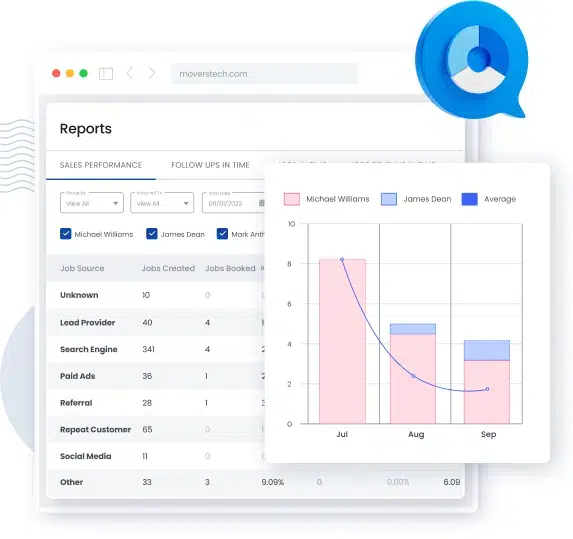
Collaborative CRM
Collaborative CRM features keep every part of your operation in sync – from sales and dispatch to field crews. Shared customer profiles and job notes mean special instructions (narrow staircases, extra packing requests) are logged once and instantly visible to everyone on the team. In-app messaging and centralized communication logs prevent lost texts or emails, so updates travel with the job. The result is fewer mix-ups, faster problem resolution, and a seamless moving experience for your customers.
5 important CRM features and why you need them
No matter which type of CRM you choose, some features are useful to almost every moving company. These core CRM features help you stay organized, respond faster, and operate more efficiently. Here are the five must-have features of a CRM:
- A comprehensive customer database
- Customer segmentation tools
- Automation tools
- Customization capabilities
- Third-party integration
| CRM Feature | Without It | With MoversTech |
|---|---|---|
| Customer database | Scattered notes, duplicate entries, missed job details | Full job history per customer, searchable, one place |
| Segmentation | Generic follow-ups sent to everyone | Outreach filtered by job type, location, or service history |
| Automation | Manual confirmations, reminders sent when someone remembers | Runs from the first inquiry to the final invoice without manual input |
| Customization | Workarounds to fit a system built for someone else | Workflows, fields, and templates built around your operation |
| Integrations | Switching between tools, reconciling data manually | QuickBooks, calendar, payments — connected and in sync |
A comprehensive customer database
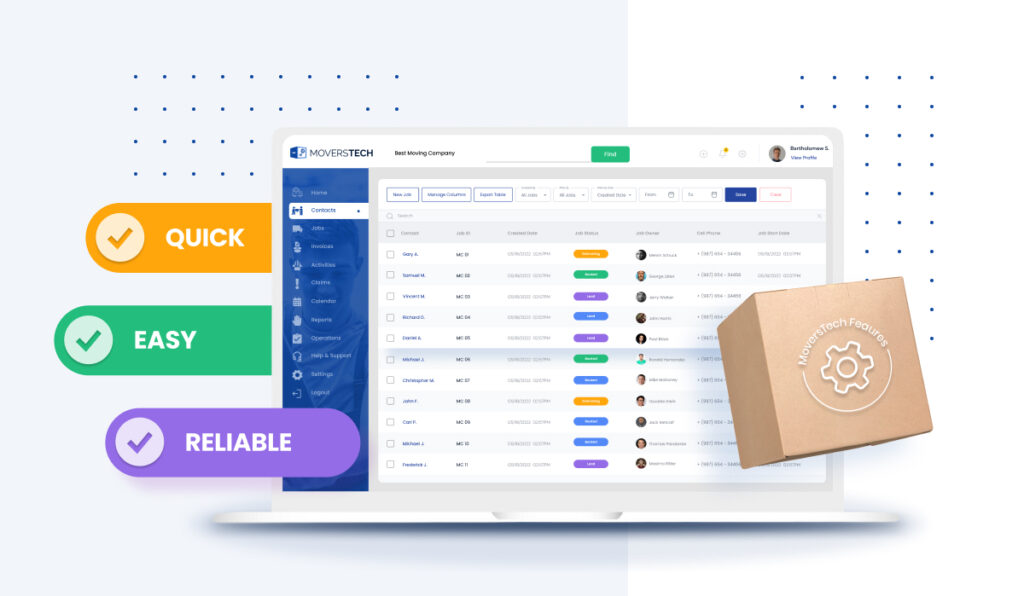
Every strong moving CRM system starts with a centralized customer database. It is on the main CRM features list because for movers, this means having all customer information, from contact details to job history, in one place. You can easily pull up past quotes, see which crew handled a job, or review customer preferences like fragile-item handling or limited access points.
This CRM functionality supports better lead tracking and job preparation, while also improving customer service. It also helps avoid mistakes by giving your team a clear, shared view of each move and its details.
With MoversTech’s CRM system, you get full access to a powerful, searchable customer database—built specifically for movers.
Customer segmentation tools
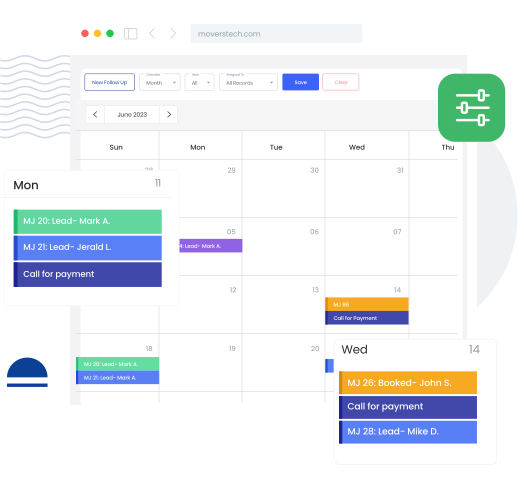
Customer segmentation is one of the most valuable moving CRM capabilities for targeting your marketing and follow-up efforts. It lets you group customers by job type, location, service history, or seasonality. For example, you can send reminders to past long-distance clients offering a discount for packing services or reach out to local customers during peak moving months.
This CRM feature also supports better sales targeting, which helps you prioritize leads that are more likely to convert. With MoversTech, segmentation tools are built in, so you can filter and target your contacts in seconds.
Automation tools
Automation is one of the most powerful features of a CRM, especially for moving companies that juggle dozens of details every day. With this CRM feature, you can set the system to send confirmation emails after a quote is approved, request deposits automatically, or trigger reminders to dispatch when a job is marked “ready.”
This CRM functionality helps reduce manual work and errors. This will keep your operation running smoothly without constant oversight. MoversTech CRM was built with this in mind—automating key tasks from the first contact to the final invoice.
Customization capabilities
Every moving company runs a bit differently, so your CRM should adapt to your needs. Customization is one of the main features of CRM. These tools let you adjust contact fields, build job templates, and create workflows based on your team’s operations. You might want custom fields for square footage, number of trucks, or elevator access.
These CRM capabilities make it easier to streamline dispatch, quoting, and customer communication. MoversTech CRM offers flexible settings so you can build a system that fits your exact workflow.
Third-party integration
Movers often rely on multiple tools, such as email platforms, accounting software, payment processors, and calendars. A CRM that integrates with these tools can save you hours every week. For instance, syncing with QuickBooks helps avoid billing mistakes, while linking to Google Calendar keeps your dispatch schedule up to date.
This CRM feature is especially useful for reducing tech clutter and improving efficiency across your entire operation. With MoversTech CRM, integrations come standard, so your team stays connected without switching between apps.
Why customization is what makes CRM features actually work
A CRM can have every feature on this list and still create friction if it can’t adapt to how your operation runs. Screen layouts, job fields, dispatch calendars, pricing models, contract templates, automation triggers — these all need to reflect your workflows, not force your team to work around a rigid system. For moving companies, especially, where no two operations are identical, customization is what separates a CRM that gets used from one that gets abandoned. It means your dispatchers see exactly the columns they need, your quotes reflect your branding, your automations fire on your triggers, and your inventory tracks by the unit that makes sense for your jobs. MoversTech was built with this in mind — every part of the system can be adjusted to fit how you already work, so your team adopts it faster and gets more out of it from day one.
What CRM features matter most in 2026
The core features haven’t changed. Lead tracking, dispatch, billing, communication, and documents have always been the foundation. What has changed is the baseline expectation — from clients, from crews, and from the market.
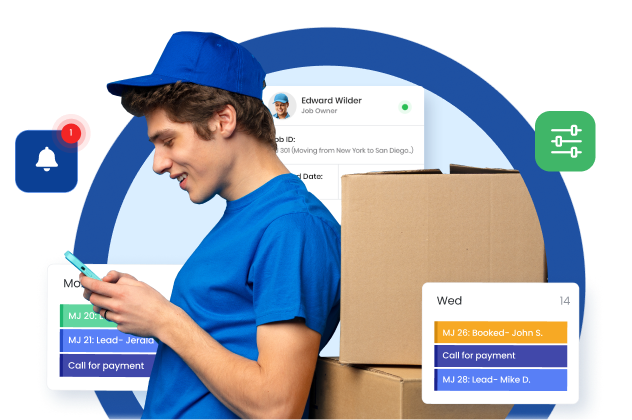
Mobile access is no longer optional. Dispatchers adjust jobs on the road. Crews check schedules between stops. Customers follow up by text. A CRM that requires a desktop to function creates friction at every point where your team is actually working. MoversTech is built to work across devices, so the people who need information can get it wherever they are.
Automated client communication is now a minimum, not a feature. Pre-move reminders, day-of updates, post-move follow-ups, and claims acknowledgment — clients expect these without having to ask. Companies that send them manually are slower and less consistent. Companies that don’t send them at all lose trust before the truck arrives. MoversTech automates the communication sequence so your team stays connected without adding to the daily workload.
Digital documents and eSigns are table stakes. Bills of Lading, contracts, inventory lists — if your team is still printing, scanning, or chasing wet signatures, you are losing time on every single job. In 2026, clients expect to sign from their phone. MoversTech handles all document creation and eSigning from any device, keeping jobs moving and paper out of the process entirely.
Choose CRM features made for movers
The features covered here — a centralized database, segmentation, automation, customization, and integrations — are the foundation. The 2026 additions — mobile access, automated communications, digital documents — are the new baseline.
The gap between moving companies running a fully connected CRM and those still patching together spreadsheets, group chats, and manual follow-ups is wider than it has ever been. It shows up in response times, in billing accuracy, in how crews are dispatched, and in what clients experience from first contact to final invoice.
MoversTech was built specifically for this — by a team with deep experience in moving operations, not adapted from a generic sales platform. If your current setup requires workarounds to function, it’s worth seeing what a system built for this industry actually looks like.
Frequently Asked Questions
What is the most important CRM feature for a moving company?

Lead tracking and automation are the most critical. They ensure every inquiry is captured, followed up on time, and moved through the sales process without manual input — which directly affects how many jobs you close.
Which CRM features matter most for small moving companies?
For smaller operations, lead tracking, automated follow-ups, and digital documents deliver the most immediate value. They reduce the manual work one or two people are handling across sales, dispatch, and paperwork — and free up time to focus on actually running jobs.
Which CRM features matter most for large or multi-location moving companies?
At scale, the critical features shift to multi-branch management, role-based permissions, advanced reporting, and workflow automation across teams. When you have multiple crews, locations, and dispatchers, the priority is visibility and control — knowing what every branch is doing without being in the room.
What are the 5 most time-saving CRM features for moving companies?
Lead capture automation, dispatch management, billing and invoicing automation, team and customer communication tools, and digital document signing. These five cover the parts of daily operations that eat the most time when handled manually — and compound savings across every job when automated.
